Importing Japanese manga can be a daunting endeavor, with exorbitant shipping fees often costing more than the books themselves. While my last tutorial on importing manga lots from Amazon Japan provides a method for decreasing those costs, the obvious other option would be to cut out shipping all together! By purchasing digital volumes of manga and other Japanese books and magazines for the Kindle, you can get everything for shelf price or less, and never have to worry about shipping again.
If you already have an Amazon Japan account, purchasing items for the Kindle is a breeze. Don’t worry if you don’t actually have a Kindle device – you can also read Kindle books on the desktop, iOS, and Android app, allowing virtually anyone to get their digital import manga on. I’m using the Kindle app on my iPhone, so these instructions will be tailored toward that device, but other devices should be fairly similar.
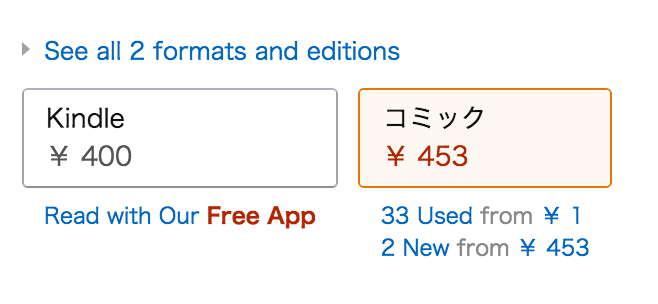
First, you’ll need to find a manga (or any other book, of course) on Amazon Japan that you would like to purchase digitally. Not everything is available for Kindle, so keep an eye out for the option to select a Kindle version like you see in the screenshot above. If Amazon Japan doesn’t appear (mostly) in English for you, there should be an option to view the page in English towards the upper right of the page.
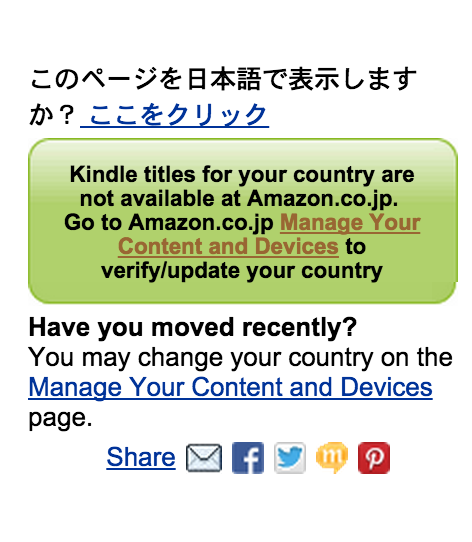
Once you’ve selected your Kindle book, you’ll be greeted with this annoying message where the yellow buy now button would normally be. It may seem intimidating, but never fear! Go ahead and click on “Manage Your Content and Devices.”
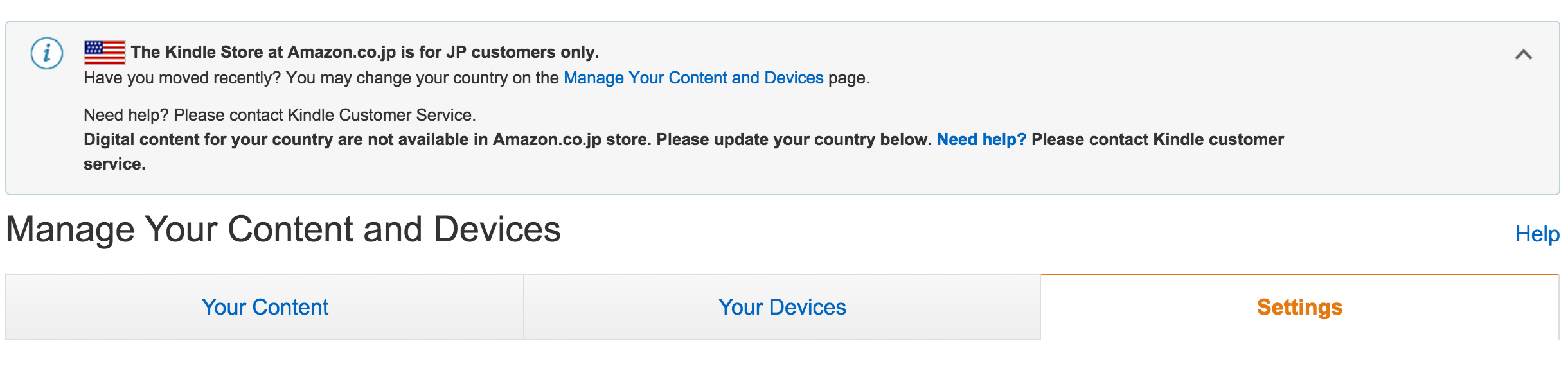
If you have a Kindle account associated with a country already, it will appear here. As you can see, mine is linked to the United States. To change it, simply go to Settings on the far right.
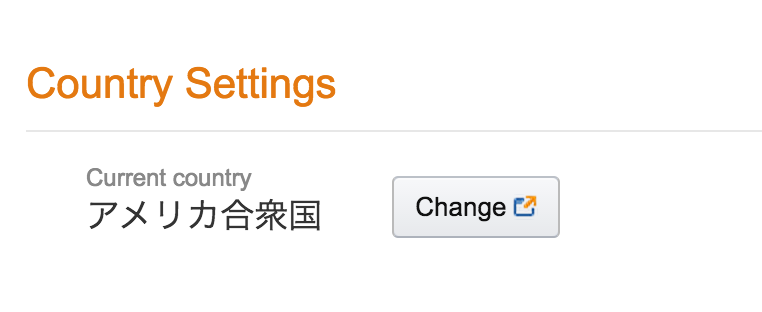
Even if you’re viewing Amazon Japan in English, the current country will probably still appear in Japanese. Don’t worry about that – just click change.
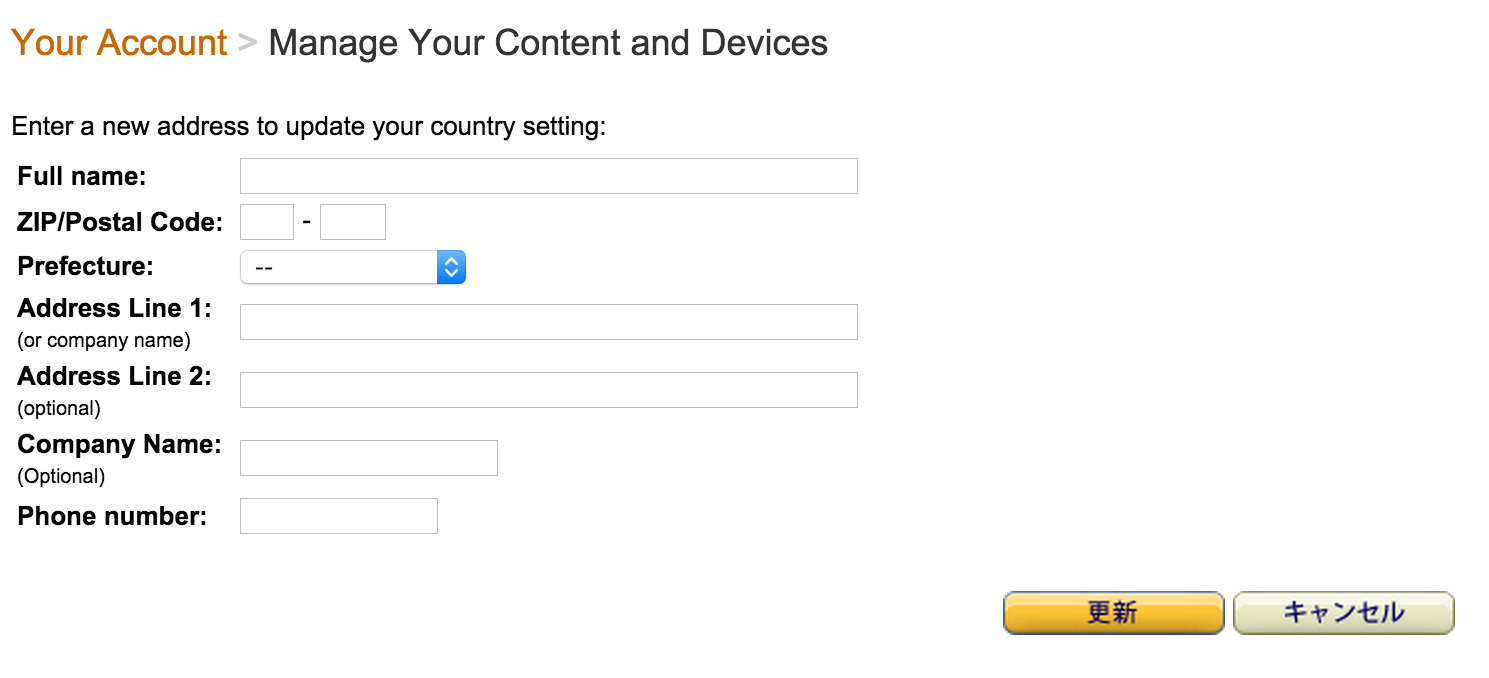
To change the region of your Kindle account, you need to pretend you’ve moved to Japan. This address doesn’t need to the same as your billing address, and won’t really be used for anything aside from identifying your account as Japanese instead of whatever country it was previously. I highly recommend signing up for the free service Tenso – by doing so, you receive a unique Japanese address that you can enter here, rather than pulling some random address from Google (but you could also do that!). As a bonus, you can always use Tenso for forwarding packages that wouldn’t normally be available to ship outside of Japan later on!
Once you’ve entered an address, simply click the yellow button on the left to save the changes! Congratulations, you can now purchase items for Kindle on Amazon Japan!
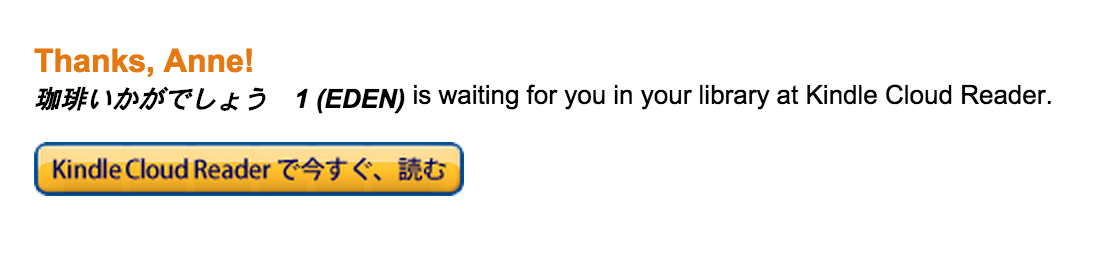
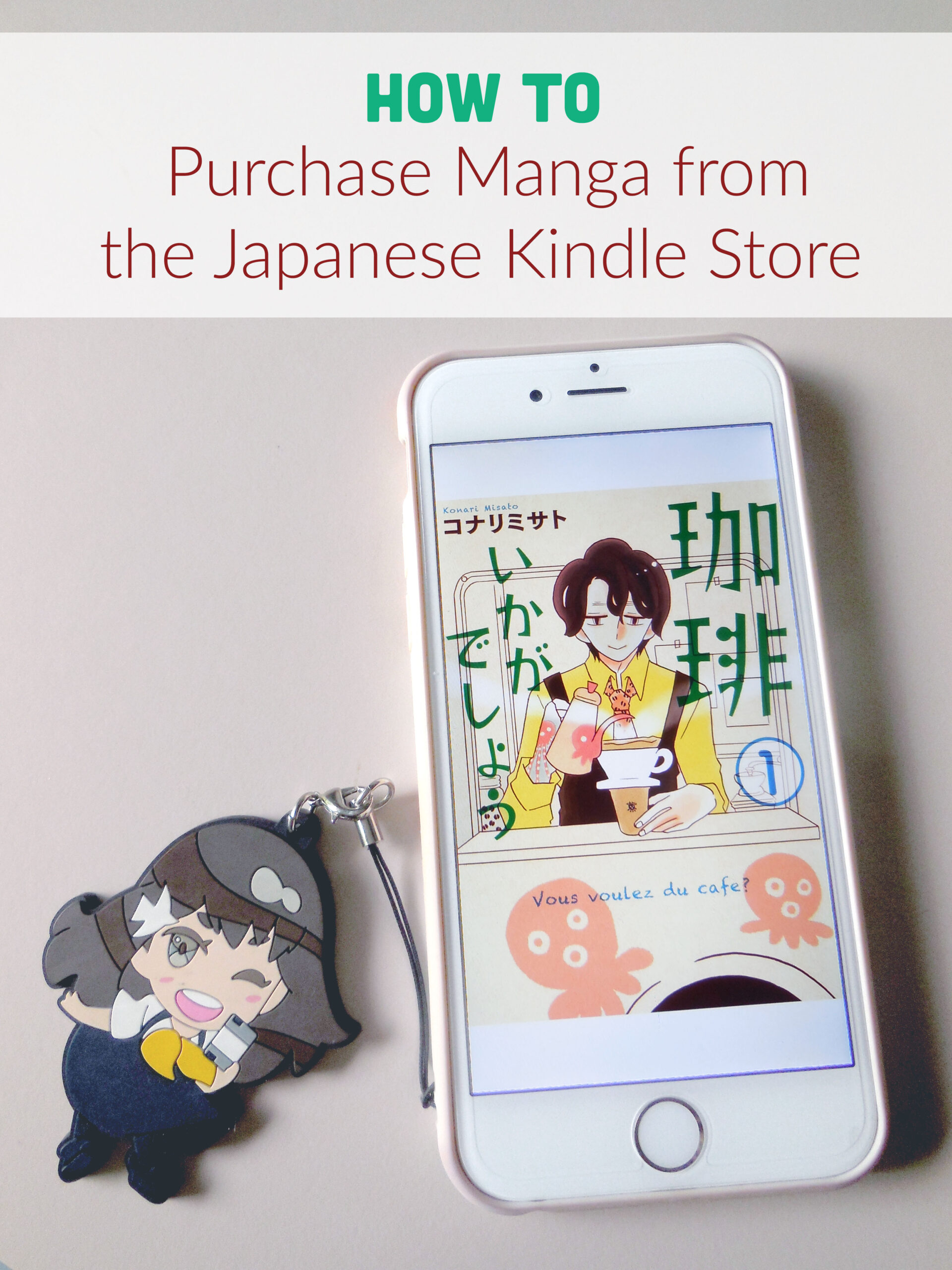
Here you can see I’ve purchased a volume of the Kōhii ikaga deshō (Would You Care for a Coffee?) manga. It was cheap, easy, and ready to read immediately! If you don’t have a Kindle device or smartphone, you can also use the Kindle Cloud Reader to read your purchases in a browser.
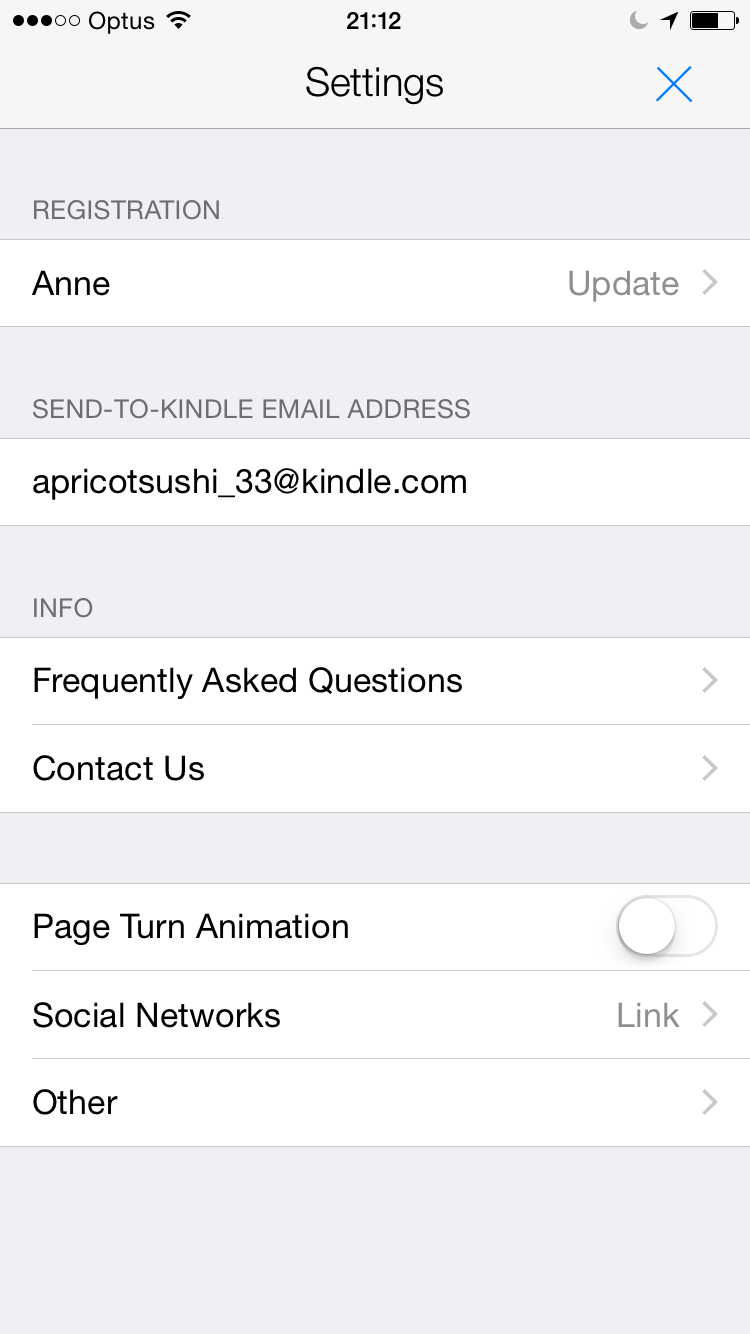
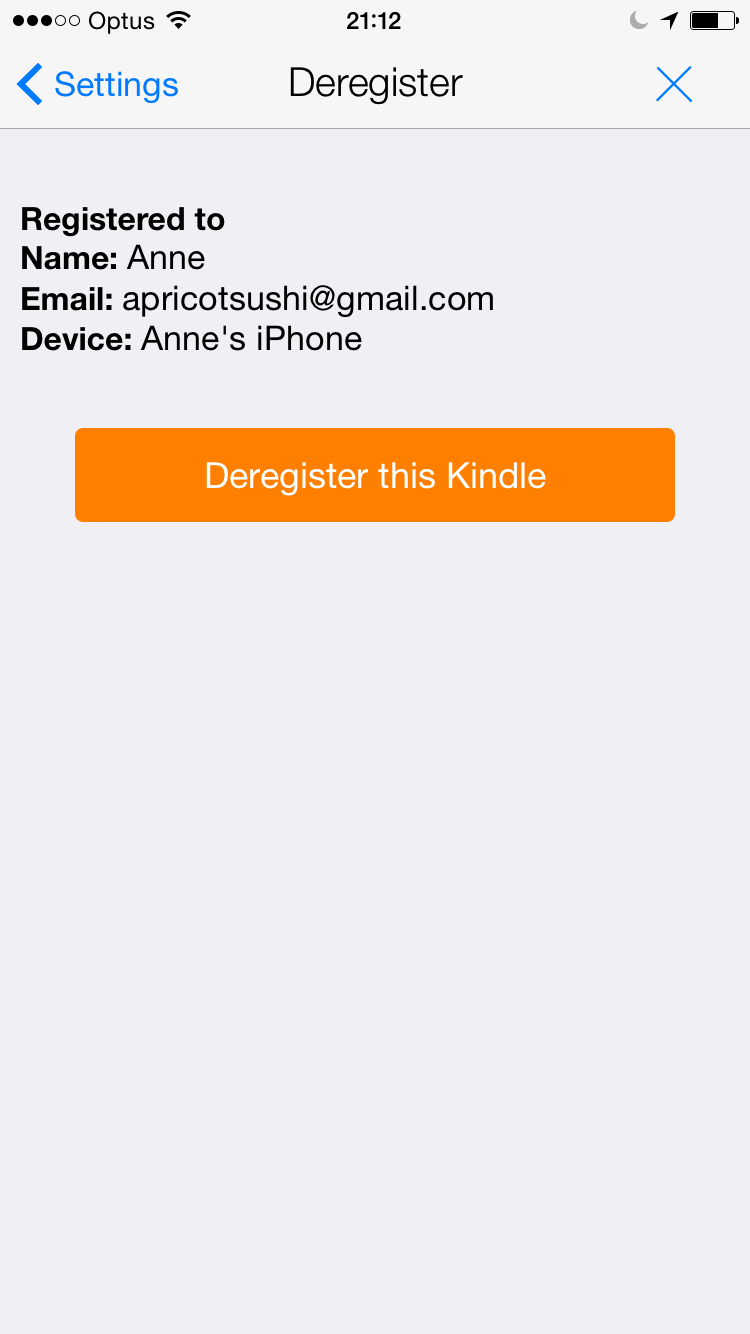
Now, if you are like me and already have your Kindle reader of choice linked to another region account, don’t sweat – switching is very easy. On my iPhone, I simply had to go to settings and select the “update” button under Registration. Then, simply click “Deregister this Kindle” and sign back in with your Japanese account. This deleted all of my currently downloaded books, as they were linked to my North American account, but I was able to download them again after I was done using my Japanese account and wanted to switch back.
Talk about a revelation! I was always nervous about trying this, but I can confirm that it works like a charm. If you want to get started but don’t want to spend any money, there are a number of free manga such as Rose of Versailles available. Enjoy your Japanese Kindle manga!
Update: After purchasing many manga and books through Amazon Japan for my Kindle app, I came across an issue where I was suddenly unable to purchase any more. I contacted customer support and they told me there is a certain number of purchases a Japanese resident is allowed while traveling abroad before they must return to Japan for the number to be reset. If you want to make a large number of purchases, consider using eBook Japan, which has no restrictions for overseas purchases. Check out my guide to creating an eBook Japan account, which is totally worth it even just for their weekly free manga!
Will it allow you to purchase with a card from another country? Does Tenso take care of that as well?
Yep, you can use any card with it, just like the rest of Amazon, as long as you’ve given it a Japanese address when switching the region of the account
Thanks!
Thank you for this tutotial. It was exactly what i needed! Plus, know I know about this tenso.com site that I may use in the future.
You’re welcome! Tenso is wonderful, but very dangerous! 😉
Oh, by the way, I also have a whole post about my experience using Tenso! It may answer some questions you might have: http://chic-pixel.com/2015/08/tenso-forwarding-service-yay-or-nay/
Thank you very much for this.
You’re welcome!
if I buy ebook from Ebook Japan, can I download the file and put it to my kindle?
Unfortunately I do not believe so, Ebook Japan has their own app which can be used on mobile devices and tablets. Please note that this guide for purchasing Kindle books from Amazon Japan only pertains to mobile devices/tablets as well, as I am not sure to how to switch regions on Kindle devices. It may be possible, but I’ve never tried it myself.
If you get a epub or pdf file from Ebook Japan you should be able to get it on your kindle. Under kindle settings you can set a “send to kindle email address” or use the default address generated. Then just send the file to that email! Enjoy!
Unfortunately Ebook Japan does not distribute EPUBs or PDFs – you can only read purchases from them on their platforms
Aww boo! Thank you for this article by the way! If only I was better at reading Japanese. I want to read all of the stories!!
You’re welcome! Manga is certainly always a fun way to practice your Japanese 😉
hello:) thanks for this useful article..
how many purchase from amazon jp can be made before they block you?
ebook japan is really full of books but the problem is that they allow their content only through their app called ebibookreader…and the format of the files is strange too.
Thanks for the guide..will buy some books for sure from amazon.jp
Hi there! Unfortunately they didn’t tell me how many purchases you are allowed to make before they block you, and I didn’t really keep track. I think I have maybe 10 Japanese books I bought for Kindle… If you do run into the issue where they block you, you can always send customer service a message and they should reset it for you at least one.
I will say I use the Ebook Japan reader on my iPad and it’s a fine app! But I can understand not wanting to purchase content that is locked to only one app.
Is eManga viewed as an overseas purchase? How is that? Since they’re “shipping” it to a Japanese address and it’s only digital I don’t understand how they would keep track of it.
I’m not sure… I think Amazon Japan assumes if you have an account with them you’re a Japanese resident. They do track your IP to some extent, as I mentioned at the bottom of the post, at a certain point they stopped allowing me to buy Kindle items because I had not “returned” to Japan (they didn’t make it so I couldn’t access what I’d already purchased, I just wasn’t able to purchase any more). They made it sound like the service is only available overseas for purposes such as travel, but it is assumed that you will be going back to Japan at some point. I now use eBook Japan, which allows overseas customers.
I did check that out eBook Japan before purchasing from Amazon Japan but they didn’t have Nichijou, which I was currently interested in. They will remain on my list as I purchase future manga.
Thanks for the response! I’ll have to see if I can’t disguise my IP for future purchases.
Best of luck!
Hi! Your comments got me interested in Ebook Japan…could you please share more details? Do they automatically send their reader app link after purchases or should I look for it myself? Also, is it available on our regular googleplay store or do I have to change regions on my tablet or something the like?
nvm, just found out you have a whole post on it. I feel dumb XD
Hi, your tutorial was great, I just signed up for tenso, but by chance do you have any experience with buyee, tenso is advertising them, curiuos if you had any input